Why your multiroom volumes never match (and how to actually fix it)

Set the kitchen speaker to 40, the living room amp to 40, the bedroom streamer to 40, play the same song, and you get three different loudness levels. I get emailed about this more than almost any other multiroom complaint, usually with the subject line something like "is my [insert brand] broken." It isn't. Volume matching across a multiroom system is one of the few areas of home audio where the problem is genuinely in the engineering, not in your room or your ears, and it's worth understanding why before you start twiddling knobs at random.
I spent fifteen years designing audio electronics before I started writing about them, and gain staging was one of those topics that never got less annoying, even in single-box products. Multiroom just multiplies the number of places gain can silently drift. So let's get into where the number "40" actually stops meaning anything consistent, and what you can do about it that isn't just guessing and re-guessing every time you walk between rooms.
The volume number on your app is not a physical unit
This is the part people find hardest to accept. The "40" or "65%" or whatever your control app shows you is not decibels, and it's not even a consistent fraction of anything physical. It's an index into a volume curve that the manufacturer's firmware engineer decided on, usually a logarithmic or quasi-logarithmic taper mapped across however many steps their DAC's volume attenuator supports. Two different products, even from the same brand, can implement completely different tapers. A Sonos-style app number and a WiiM app number were never designed to reference the same output level, because there was never a shared spec requiring them to.
Layer onto that the fact that every zone in a real multiroom system usually has a different amplifier (or a different speaker's own built-in amp), different sensitivity, different room acoustics, and often a different source device entirely — some zones fed via a streaming platform's native app, others via AirPlay, others via a hardwired streamer like a WiiM Ultra (check price) or a Cambridge Audio CXN100 (check price) feeding an integrated amp. Each of those has its own gain structure before the volume slider even gets involved. Expecting "40" to sound the same everywhere is expecting three completely different machines to have agreed on a unit of measurement they were never told to agree on.
Where the mismatch actually gets introduced
There are four places gain drifts in a typical household multiroom chain, and it's worth knowing all four because fixing one doesn't fix the others.
First is source-level loudness normalisation, or the lack of it. Streaming platforms increasingly apply loudness normalisation (ReplayGain-style, targeting somewhere around -14 LUFS for most major services) so that tracks mastered at wildly different loudness don't jump around within a playlist. But normalisation settings can be toggled per-app, per-account, and sometimes per-zone, and if one zone has it on and another off, you've got a mismatch before the signal even leaves the source.
Second is the app's own volume curve, as above — non-linear and brand-specific.
Third is fixed versus variable line-out. Some streamers and DACs have a "fixed line level" mode intended for feeding a preamp, where the device's own volume control is bypassed entirely and all volume comes from the downstream amplifier. If one zone is set to fixed output and another to variable, adjusting the app's volume will do nothing in one room and everything in another. This trips up more people than any other item on this list — I still see it in complaint threads every few months.
Fourth is genuine amplifier and speaker sensitivity difference. A pair of standmounts like a KEF LS50 Meta (check price) driven by a modest integrated will simply produce a different SPL at a given input voltage than a powered speaker like a Devialet Phantom I 103 dB (check price) or an all-in-one unit such as a Naim Uniti Atom (check price). This is the one variable that has nothing to do with software and everything to do with the electronics you own, and it's the one most people wrongly blame the app for.
The fix that actually works: calibrate with a meter, not your memory
Here's my honest opinion, and it's mildly against the grain of what most forum advice says: don't trust your ears to set relative levels across rooms, because your ears are terrible at absolute loudness comparison across time and across different rooms with different reverberant fields. Use an SPL meter. A cheap one, even a phone app calibrated against a real meter once, is enough for this job because you're doing relative matching, not mastering-suite calibration.
Play a consistent pink noise or test tone — most multiroom platforms and several free apps can generate this — at a fixed source level, stand in the same relative position in each room (roughly ear height, a metre or two from the speaker, away from a wall boundary), and note the SPL reading. Then adjust each zone's app volume until the SPL reading matches across rooms, and write that number down somewhere you'll actually find it again. That number, not "40," is now your reference. Some platforms let you set a per-zone "fixed maximum volume" or trim offset in setup, which is the proper long-term fix because it bakes the correction in rather than requiring you to remember three different numbers forever.
If your ecosystem doesn't offer a trim function, the workaround is a written cheat sheet on the fridge — kitchen 38, living room 52, bedroom 44 — which sounds unglamorous but is genuinely what a lot of well-set-up households end up doing, mine included.
Check your normalisation settings before you touch anything else
Before doing any of the SPL work above, go through every zone's source app and confirm loudness normalisation is set the same way everywhere — either on everywhere or off everywhere. This alone fixes a surprising fraction of complaints, because a lot of "my multiroom is inconsistent" reports are actually "my normalisation setting is inconsistent between the phone I use in the kitchen and the tablet mounted in the hallway." Check both the streaming platform's own setting and, if your streamer has its own DSP layer, whether it applies additional gain shaping on top. Devices like the WiiM Ultra and other DSP-capable streamers sometimes apply loudness-related processing that isn't obvious from the main volume screen. It's worth reading the manual section on audio settings once, properly, rather than assuming defaults are neutral.
Fixed line-out is not your friend in a mixed system
If you're running a hybrid setup — some zones through powered speakers or streaming amps, others through a streamer feeding a separate amplifier — check every device's output mode individually. A unit set to fixed line-out will report a volume number that does absolutely nothing, because the actual level is being set entirely by the downstream amp's own volume knob. This is worth checking even if you're sure you set it up correctly originally; firmware updates occasionally reset output mode defaults, and I've had it happen on my own bench without touching a setting.
For AirPlay and Chromecast zones specifically, there's an added wrinkle: the sending device's own volume (your phone) can also be in the signal path depending on how the receiving hardware implements the protocol, which is a related but slightly different problem to the multiroom app volume issue. If you're chasing that particular rabbit hole, the mechanics are covered in our piece on casting from phone to hi-fi and how AirPlay, Chromecast and Bluetooth each handle the volume handshake differently.
Amplifier and speaker sensitivity: the variable you can't calibrate away with software
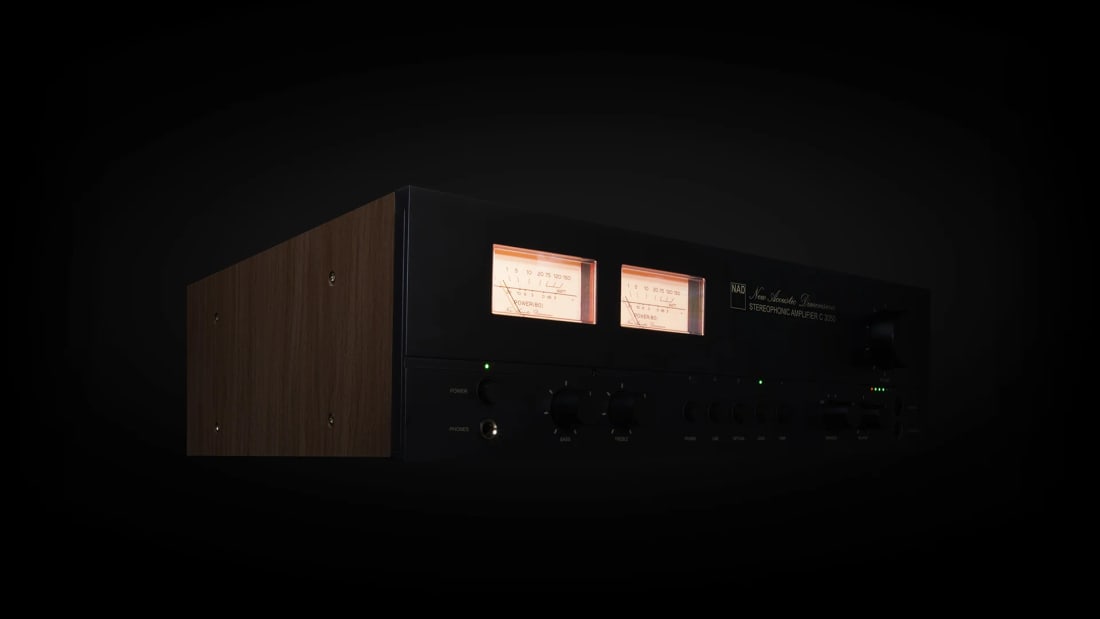
Once normalisation and output mode are sorted, what's left is genuine sensitivity mismatch between zones, and no app setting fixes that — you're compensating for it with the app volume trim, permanently. This is where knowing your gear's specs actually helps. An integrated amplifier like the Rega Brio Mk7 (check price) paired with a moderately sensitive standmount will need a noticeably different volume position than a high-output streaming amp like the NAD C 3050 (check price) paired with a less sensitive speaker, even feeding an identical digital source signal. This isn't a flaw in either product — it's Ohm's law and driver sensitivity doing what they always do. Our guide to integrated amplifiers covers sensitivity matching in more detail if you're building or rebalancing a multi-zone system from scratch.
What I'd actually do in your lounge room this weekend
If I were fixing this at a reader's place — and I've done exactly this a few times, most recently for a mate near Chapel Street in Melbourne with a three-zone Sonos-plus-separate-amp setup that drove him mad for months — I'd start with normalisation settings across every app and device, confirm every zone's output mode is set consistently (all variable, generally, unless you specifically want a zone to be amp-controlled), then do the SPL meter walk-through room by room and write the numbers down. That's maybe forty minutes of actual work for a permanent fix, versus the low hum of mild irritation that otherwise never goes away.
The control layer matters here too, and it's a decision worth making deliberately rather than by accident — how your household actually issues volume and playback commands shapes how consistently these settings hold. We've written separately about the tradeoffs in that area if you're rebuilding your control setup rather than patching an existing one; it interacts with a lot of what's above.
None of this requires expensive gear to solve. It requires about the same discipline you'd apply to calibrating a home cinema's channel levels — because it is, structurally, the exact same problem: reference levels, meters, and a written-down number instead of trusting the room and your memory to agree with each other. They won't. Mine never do, and I've been doing this for two decades.
— Marcus Vale, Editor, Electronics & Measurement
Common questions
- Why does the same volume number sound louder in one room than another?
- Because the number on your app is an index into that device's own volume curve, not a physical unit like decibels. Different products, amplifiers and speaker sensitivities all mean the same index produces different real-world loudness.
- Will a firmware update fix multiroom volume matching permanently?
- It can help if the manufacturer adds per-zone trim or offset controls, but the underlying cause — different amps, speakers and output modes — isn't something firmware alone can normalise away. You still need to calibrate each zone once.
- Do I need expensive equipment to calibrate multiroom volumes properly?
- No. A basic SPL meter or a calibrated phone app is enough for relative matching between rooms. The actual fix is procedural: consistent normalisation settings, consistent output modes, and a written reference level per zone.
- Does loudness normalisation in streaming apps affect multiroom consistency?
- Yes, significantly. If one zone's app has normalisation enabled and another doesn't, you'll get inconsistent loudness even before amplifier and speaker differences come into play. Check this setting is identical across every device first.

I'm Marcus, and I'll be honest up front: I trust a measurement before I trust my own ears, because my ears lie to me daily. I spent fifteen years designing audio electronics before I started writing about them, so when a brand tells me a number, I want to see the graph. That doesn't make me cold about this hobby — I love a system that disappears as much as anyone — it just means I'll tell you when an expensive box is selling you confidence rather than performance.
Former audio electronics engineer; objectivist; runs the test bench
More from Marcus Vale
 First reflections: finding them with a mirror before you buy any panelsBefore you spend a cent on acoustic panels, find your actual first reflection points with a mirror and a torch. Here's the method, and why it beats guessing.
 Headphone impedance and power: why your amp's output matters more than wattsWatts on a spec sheet don't predict how a headphone amp will actually drive your cans. Here's the impedance and output-impedance story that does.
- Speaker cable gauge and length: when it actually changes what you hearSpeaker cable gauge and length can measurably shift frequency response over long runs. Here's the maths, the thresholds that matter, and where to stop spending.
 Lip sync and audio delay: why your AVR's setting isn't the whole fixYour AVR's lip-sync slider only fixes part of the chain. Here's where audio delay actually comes from and how to measure it properly.
 Damping factor and output impedance: what actually happens at the speaker terminalDamping factor gets thrown around like a quality score. It isn't. Here's what the number actually measures and when it matters.
- Bass trap placement: why corners aren't always the answerCorner bass traps are the default advice, but they don't fix every room mode. Here's how to actually find where your bass problems live before you buy foam.